Most guides assume you have a German bank account with an IBAN. But if you just arrived in Germany and only have a credit or debit card, you can still get the Deutschland-Ticket — here’s exactly how, using the VRR app.
Download the VRR app
Getting started- Search for VRR on the Google Play Store (Android) or Apple App Store (iOS) and install it.
- VRR stands for Verkehrsverbund Rhein-Ruhr — it’s one of the transport apps in Germany that allows card payment for the Deutschland-Ticket, making it a great option if you don’t have a German IBAN yet.
Other apps like DB Navigator or Nahsh typically require a direct debit (SEPA/IBAN) for the Deutschland-Ticket subscription. VRR is one of the few that accepts credit and debit cards.
App store: VRR App & eezy.nrw Ticket App – App Store
Play store: VRR App & eezy.nrw Ticket – Apps on Google Play
Create an account or log in
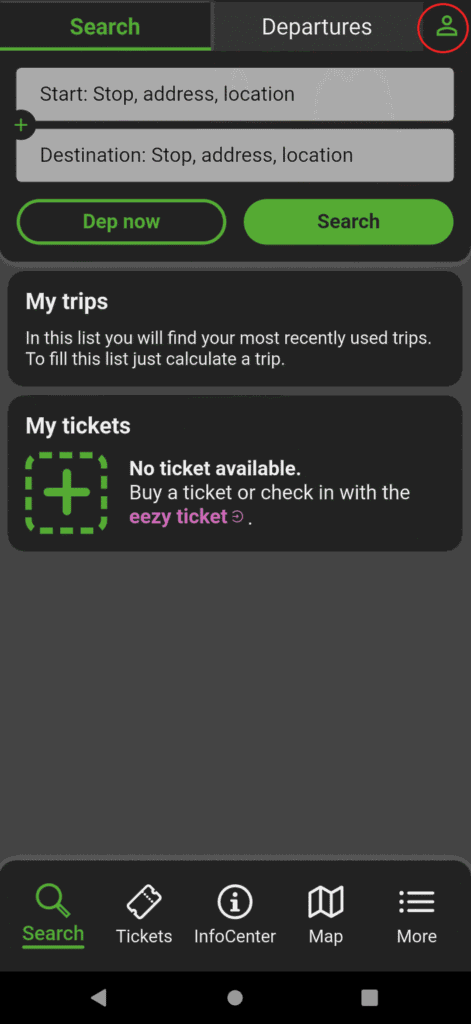
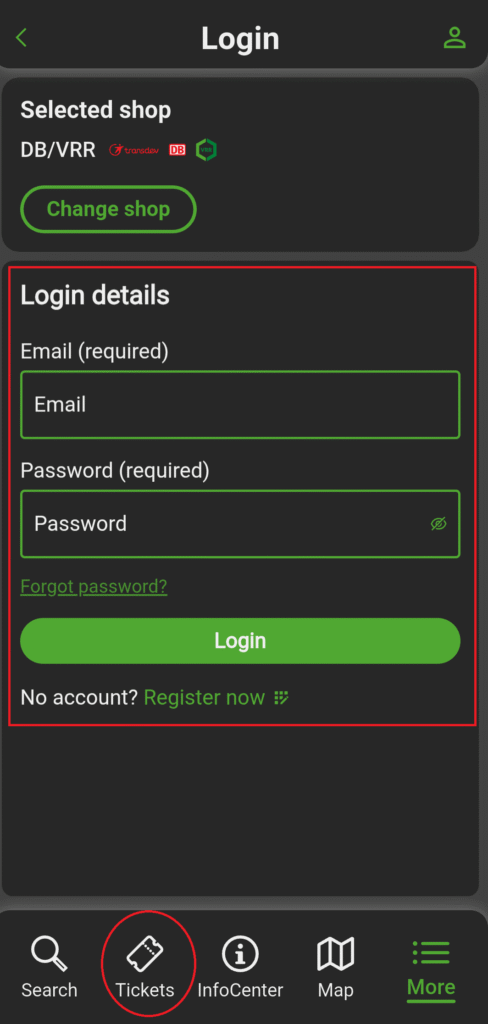
Setting up your profile- Open the app and tap the user icon in the top right corner.
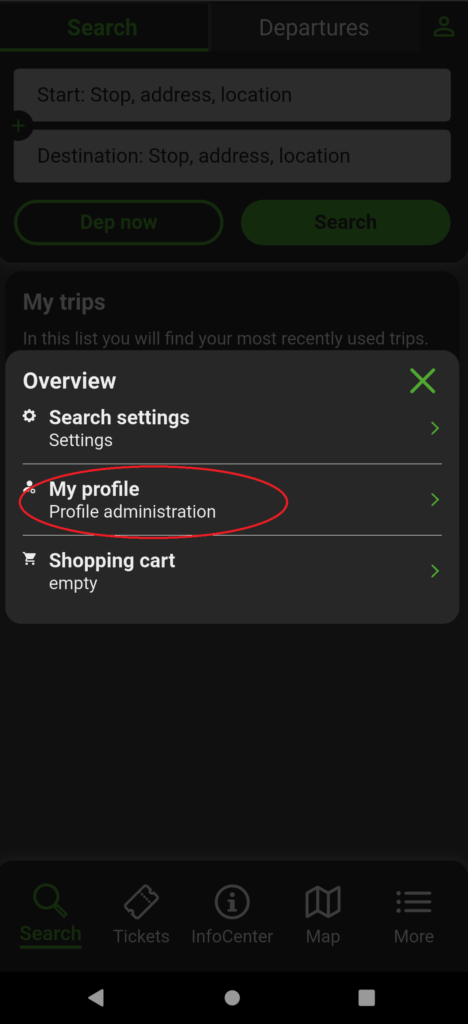
- Tap My Profile from the prompt that appears.
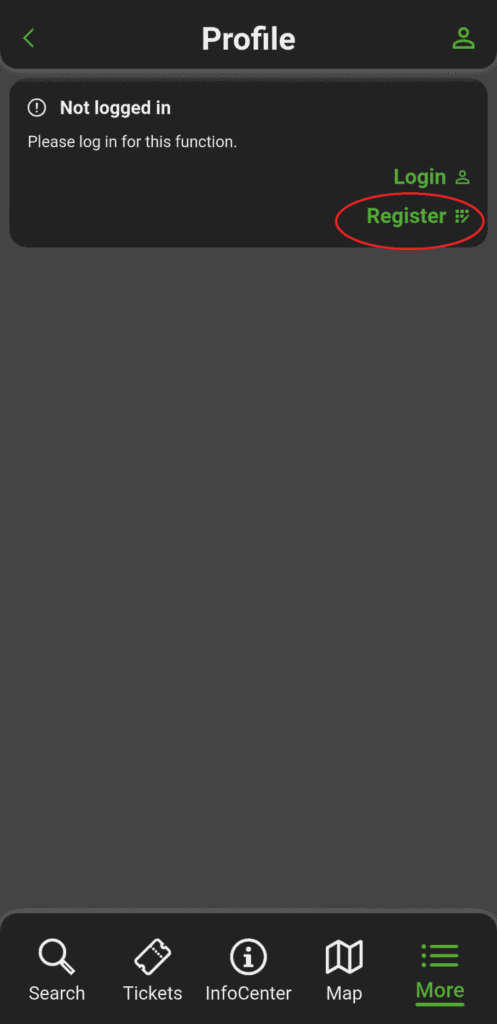
- If you already have a VRR account, log in. If not, tap Register to create a new one.
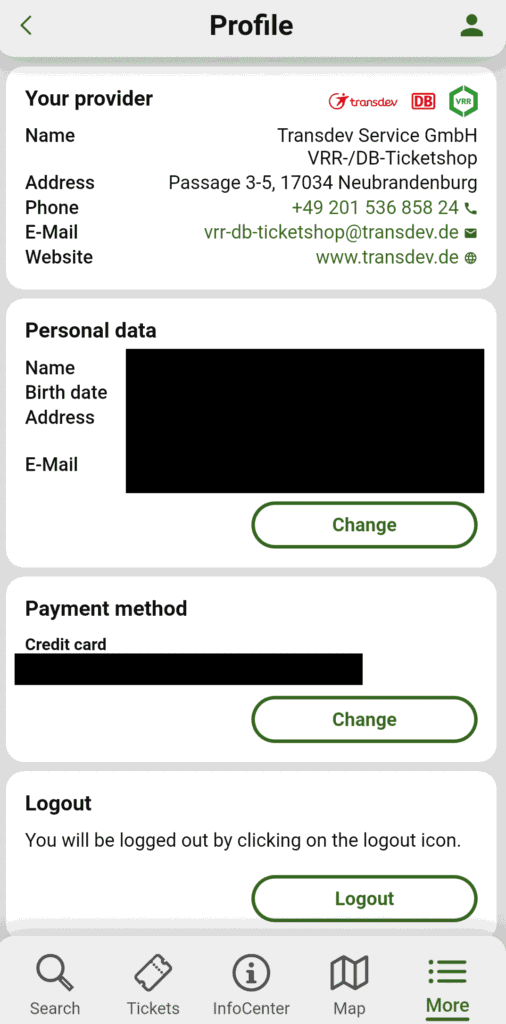
- Fill in all your personal details — name, address, date of birth, and email.
- For the payment option, select credit card or debit card. Both work — you do not need an IBAN or bank account for this step.
- Once registered, check your inbox and verify your email address before proceeding.
Use an email address you have easy access to — the verification link needs to be clicked before you can log in and buy a ticket.
Navigate to the Deutschland-Ticket
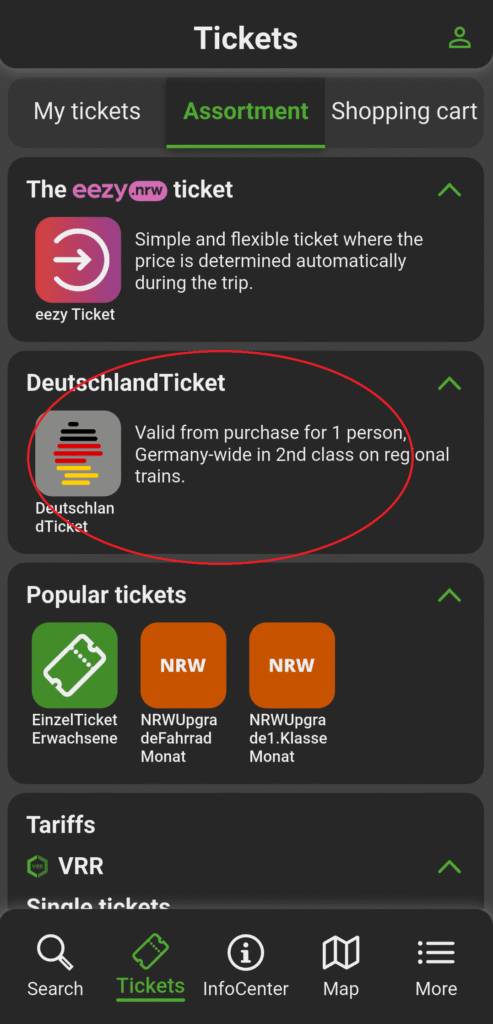
Finding the right ticket- Once logged in, tap the Tickets option in the bottom navigation menu.
- Browse the available ticket types and select Deutschland-Ticket.
- The Deutschland-Ticket gives you unlimited travel on all local and regional public transport across all of Germany — buses, trams, U-Bahn, S-Bahn, and regional trains — for a flat monthly fee.
The Deutschland-Ticket is a monthly subscription — it auto-renews each month.
Choose your start date
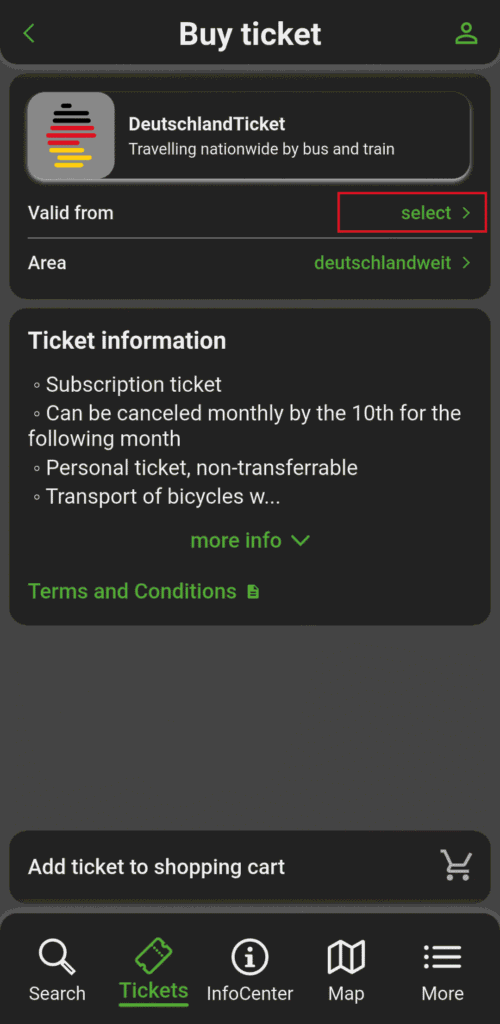
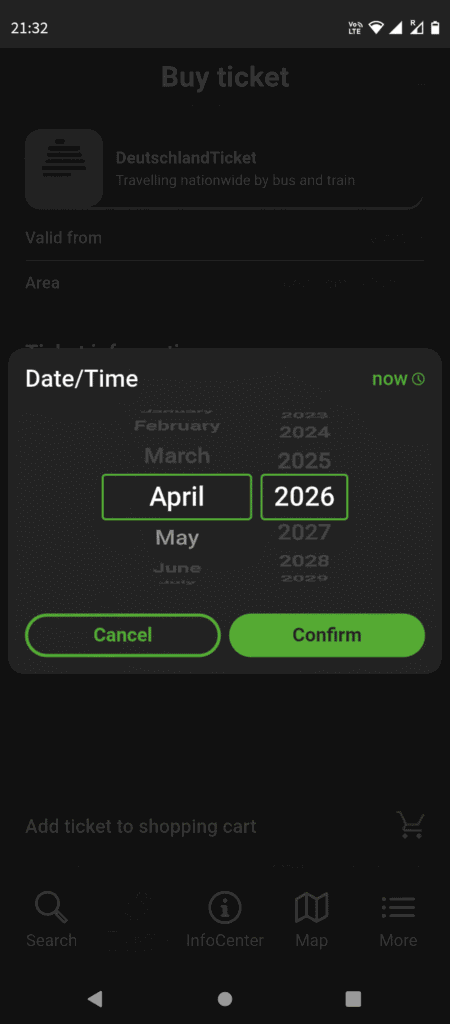
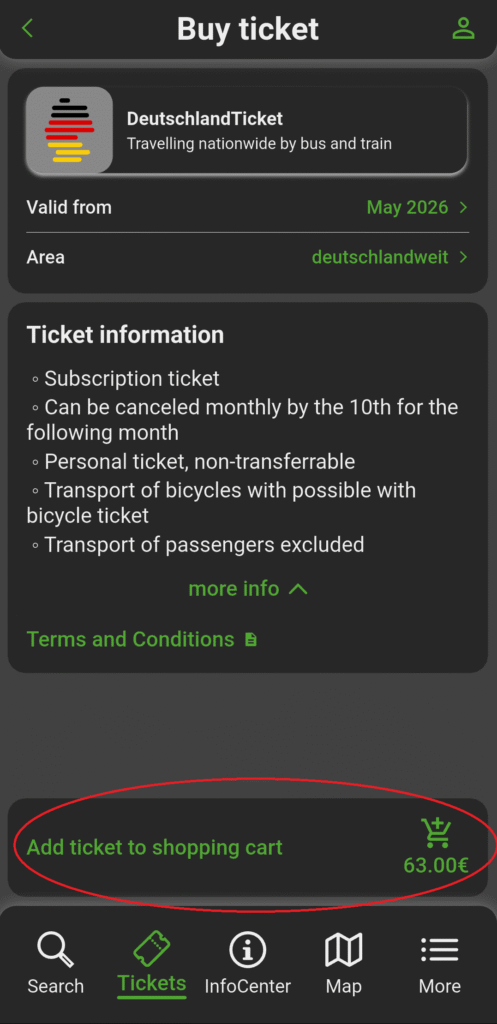
When the ticket activates- On the ticket details page, tap the Valid from field and select the date from which you want the ticket to be active.
- The ticket is always valid from the 1st of the chosen month — so if you pick a future month, it activates on the 1st of that month.
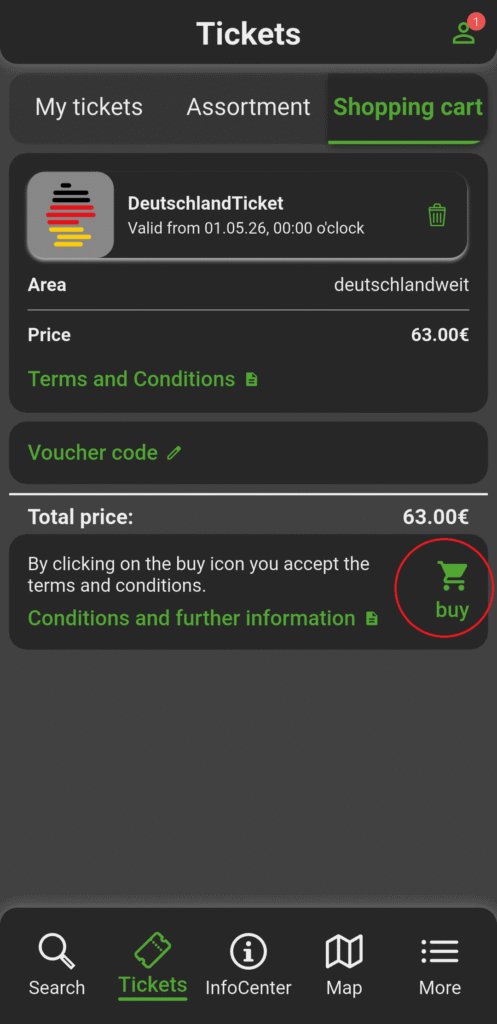
- If you need it immediately, select the current month — you’ll be charged the full monthly price regardless of when in the month you buy it.
- Complete the purchase by confirming your card details and submitting the order.
To cancel the subscription and avoid being charged for the next month, you must cancel before the 10th of the current month. Check the app’s cancellation policy to confirm the exact cut-off date.
If you just moved to Germany and feel overwhelmed by how many things require an IBAN — you’re not alone. Getting a bank account takes time, but that shouldn’t stop you from getting around. Hopefully this guide saves you the hour of confusion it took to figure this out the first time. Once you’re set up, the ticket just lives in the app and renews quietly every month — one less thing to think about.
Leave a Reply